For wholesalers and distributors
The warehouse, the counter and the credit book. One system.
WholesaleOS sells by the carton and by the bottle, gives each shop its own terms and credit limit, knows what every bag cost you, and closes the day with a profit figure you can trace line by line.
Every screen on this page is the real app
2 ways to sell
Retail at the counter and wholesale on account, drawing on the same stock.
Any unit
Bags, bales, cartons, crates — all counted back to one stock figure.
No quiet edits
A completed sale, payment or stock movement is never edited, only reversed on the record.
Per branch, per role
Each person sees only their branches and only their part of the job.
01Sell
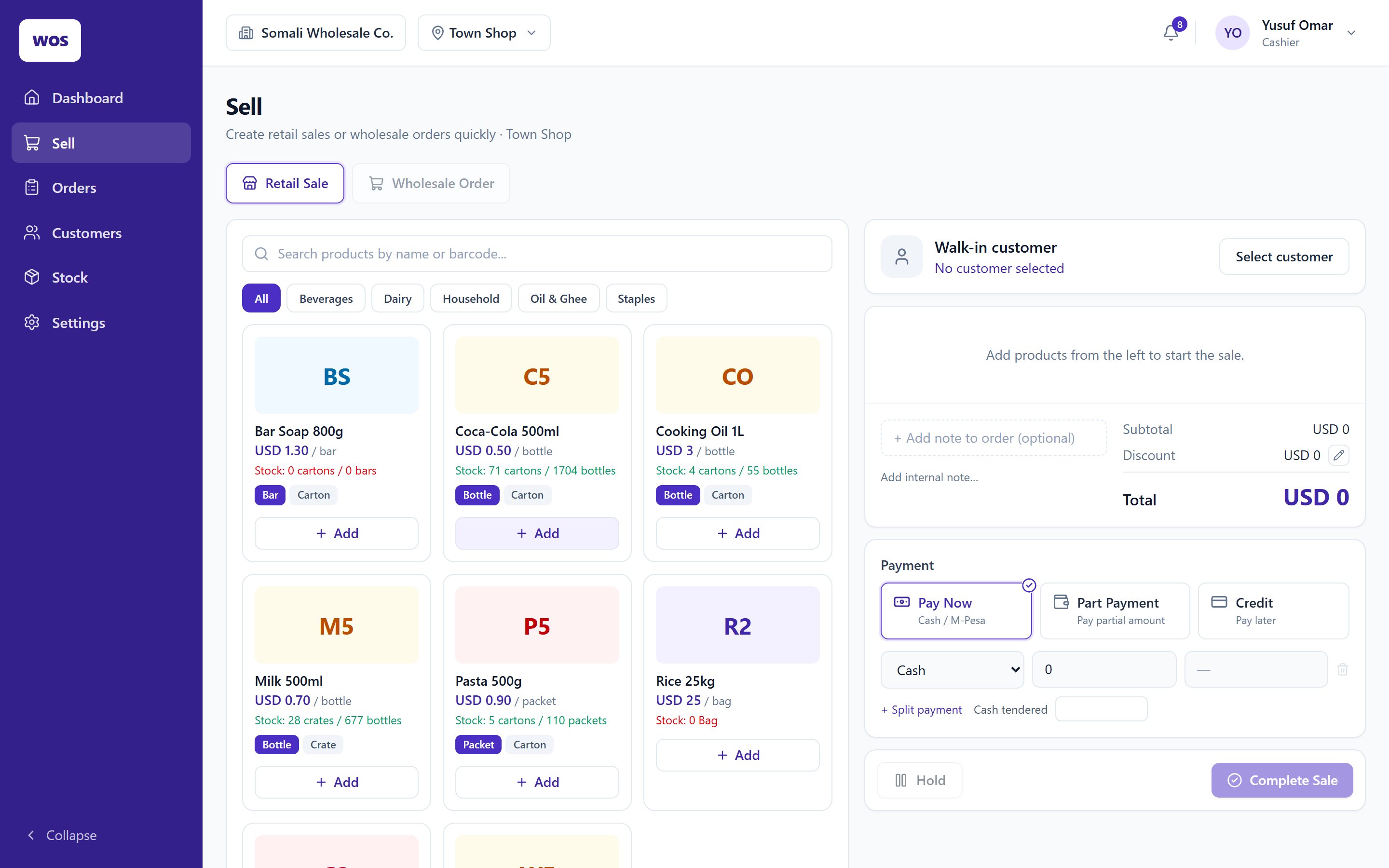
One till for the trade account and the walk-in
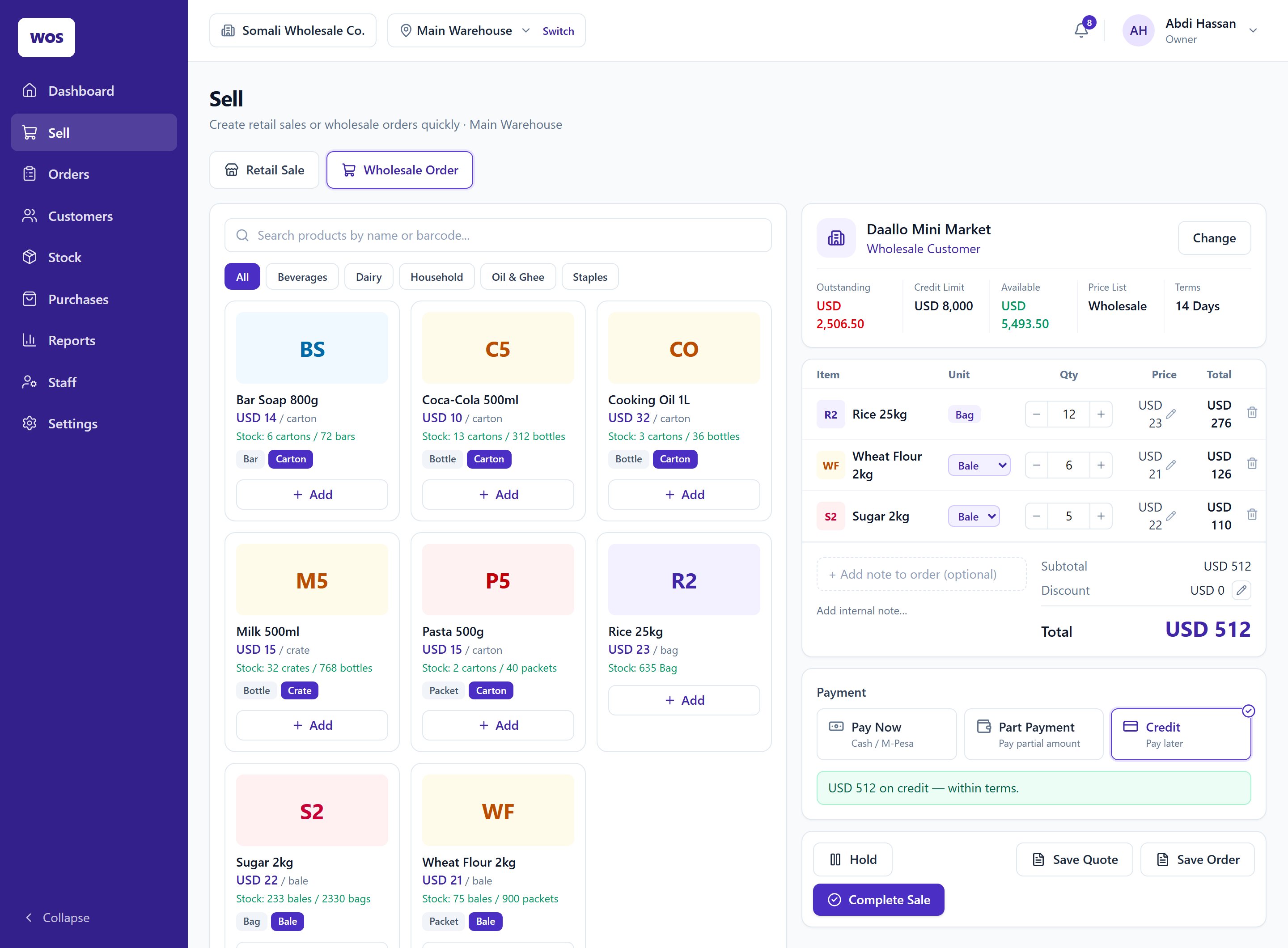
Flip between a retail sale and a wholesale order. Pick the shop and its balance, limit and terms are on screen before the first carton goes in.
Sell in the unit they buy in
Bottle or carton, bag or bale. Prices can drop by quantity — ten cartons cost less each than one.
Pay now, pay part, or put it on account
Split a payment across cash, M-Pesa and bank. The credit decision is made on the spot against the shop's limit.
Quotes, orders and held sales
Save a quote, confirm an order for later, or hold a sale while you serve the next customer.
It won't sell what isn't there
Each branch's stock is checked as the sale completes, so two tills can't sell the last carton twice.
02Credit
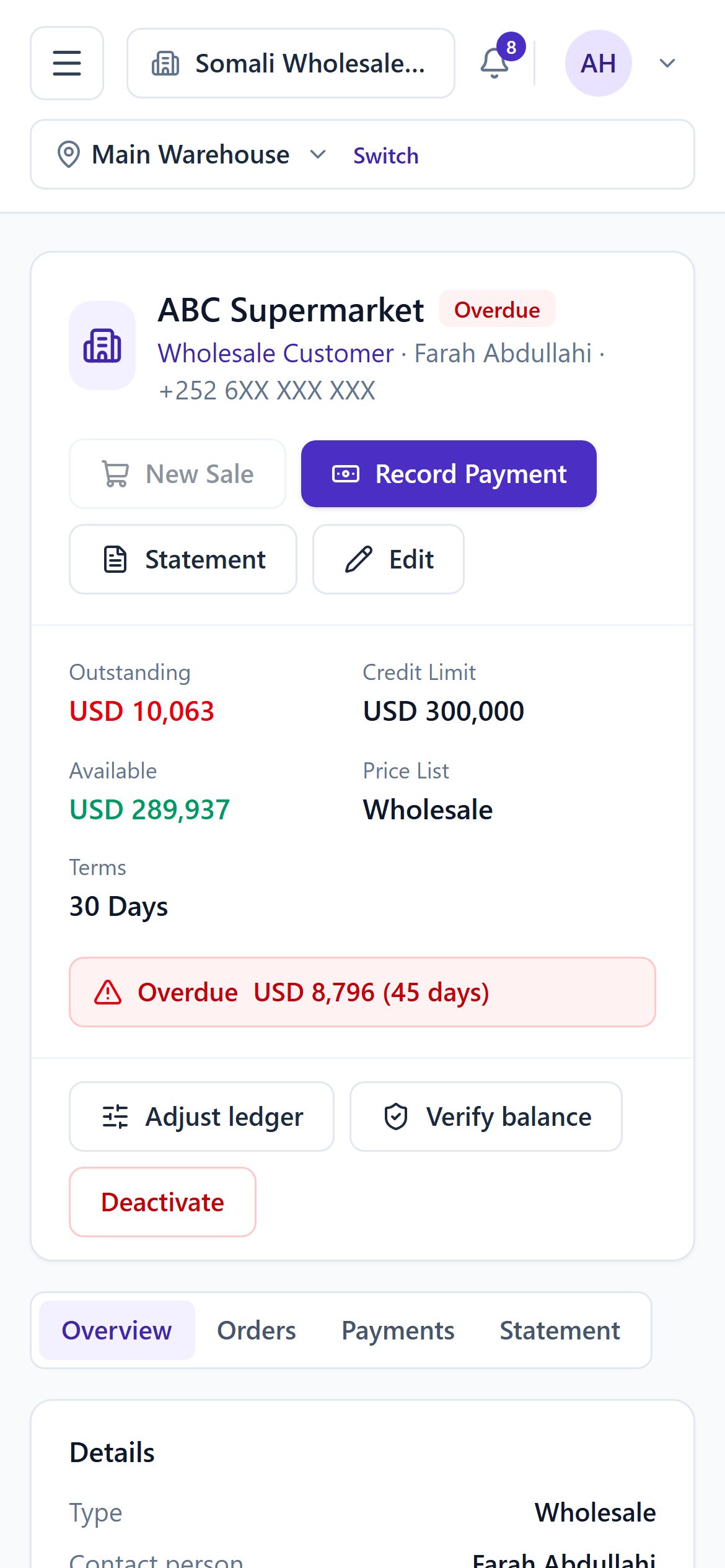
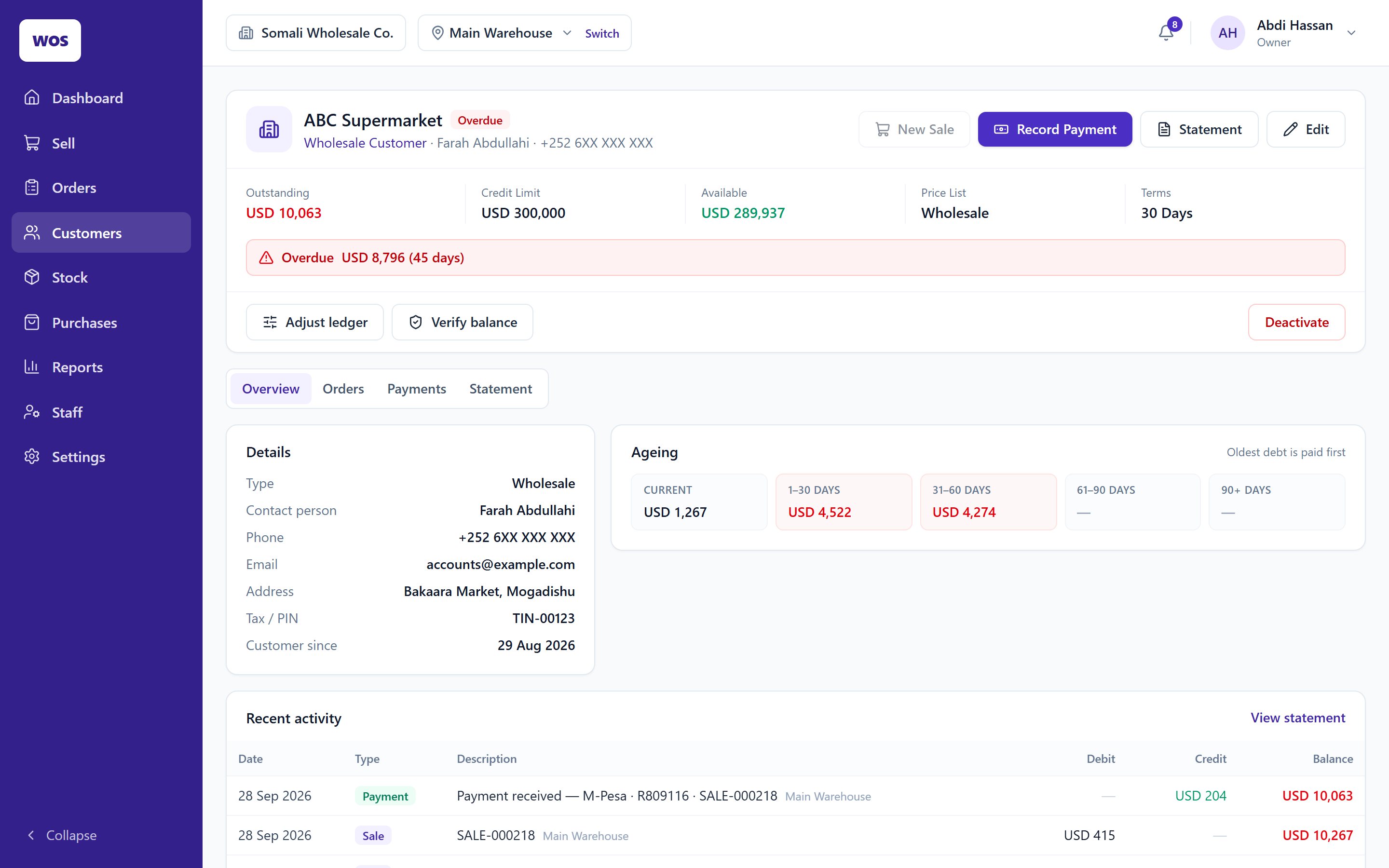
Know who owes you, how much, and how late
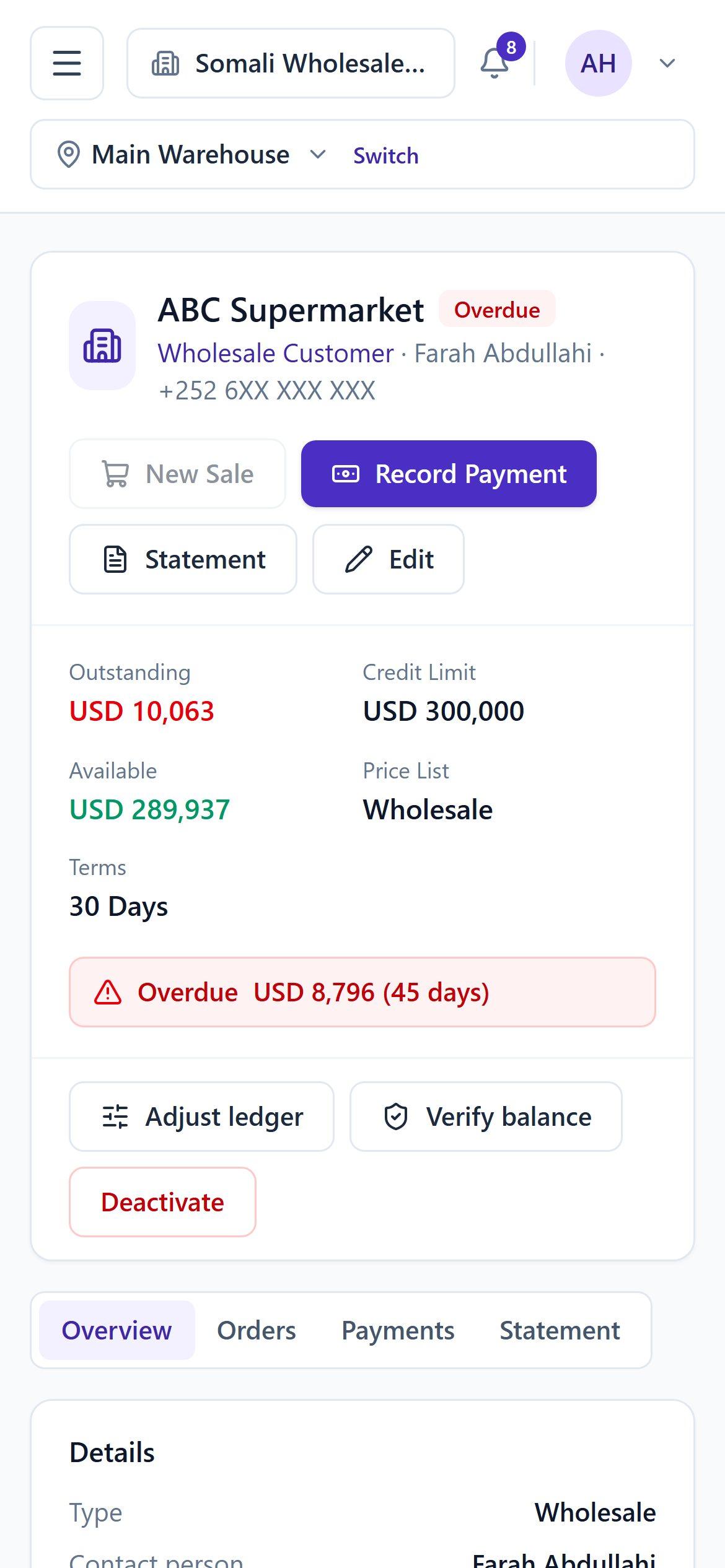
Every shop on account has a limit, payment terms and a running ledger. Payments clear the oldest debt first, the same way you'd count it.
Ageing you don't have to work out
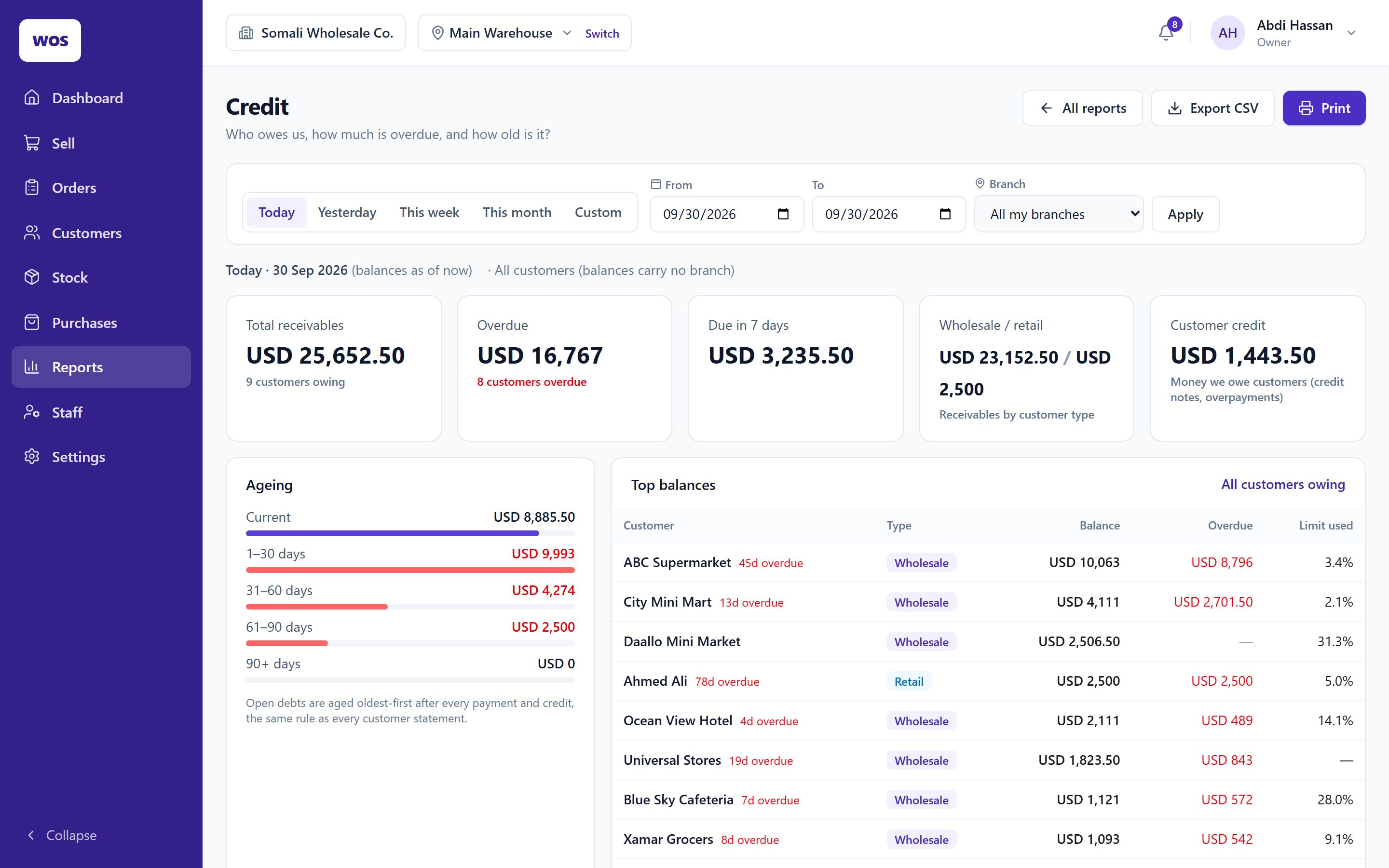
Current, 1–30, 31–60, 61–90 and 90+ days, per customer and across the business.
Statements in one tap
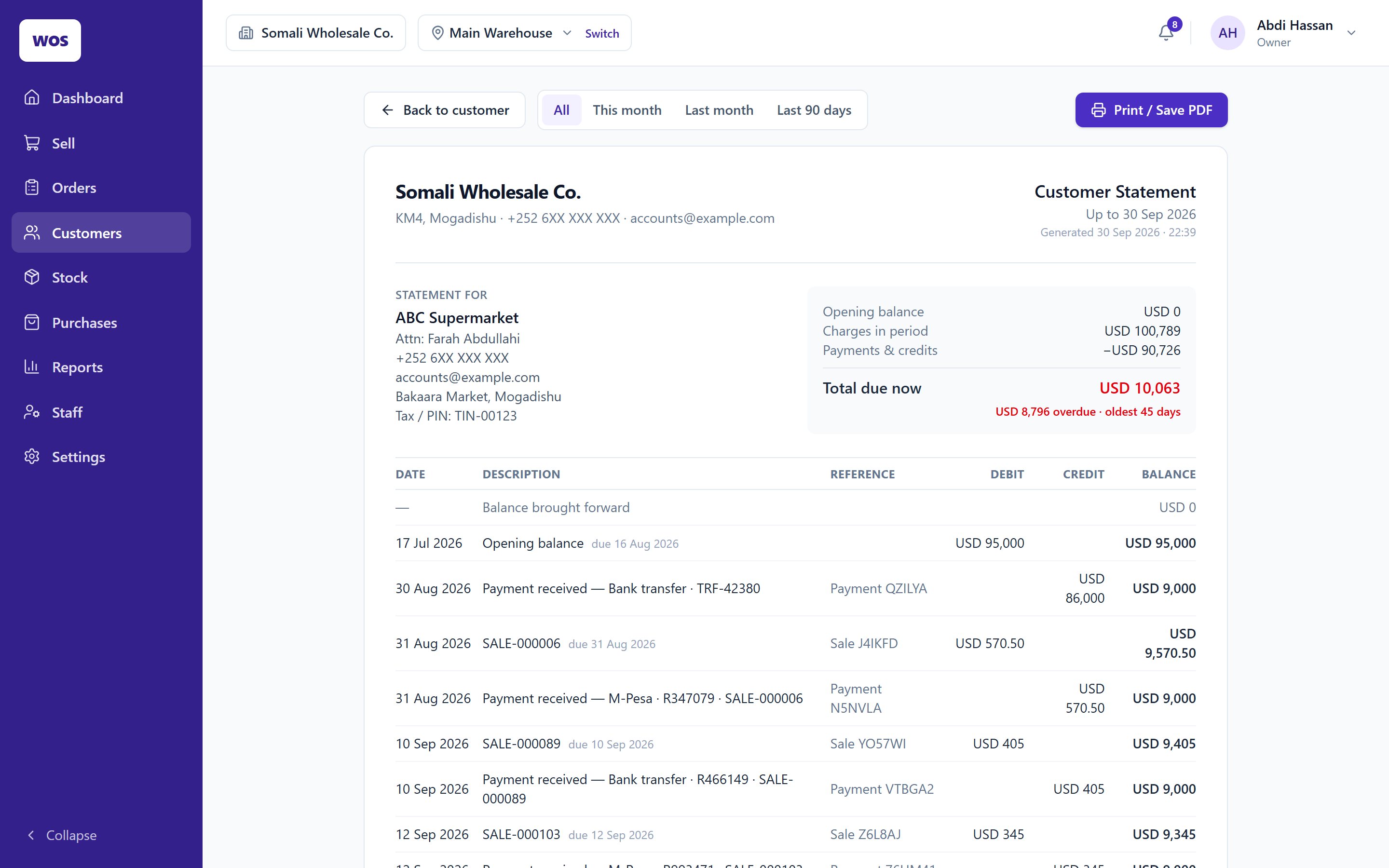
Print or save a customer statement as PDF, with every sale, payment and credit note on it.
Returns that settle properly
Refund the cash or keep a credit note on the account; damaged goods are recorded without going back on the shelf.
Overdue on the dashboard
The owner sees who is overdue each morning, not at the end of the month.
03Stock & purchases
Stock that knows what it cost you
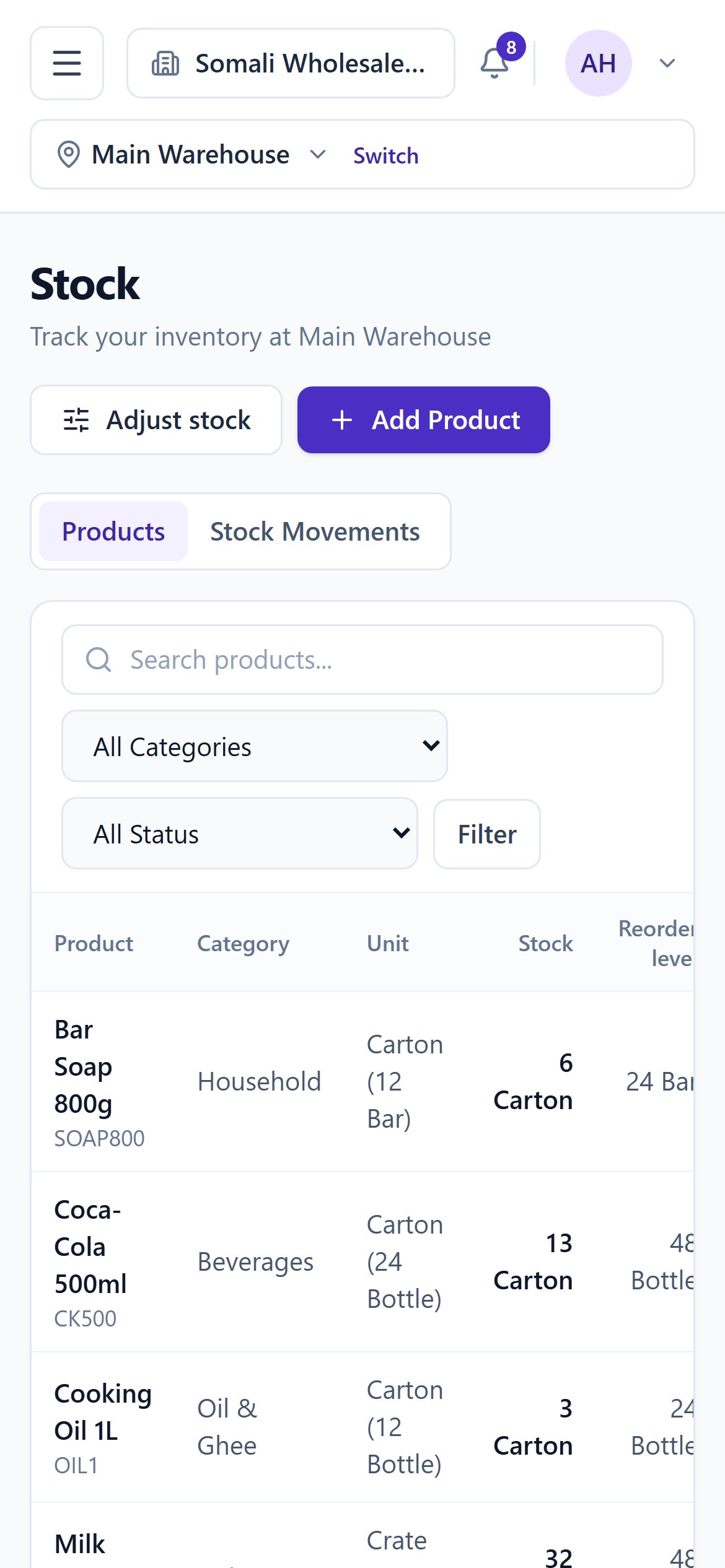
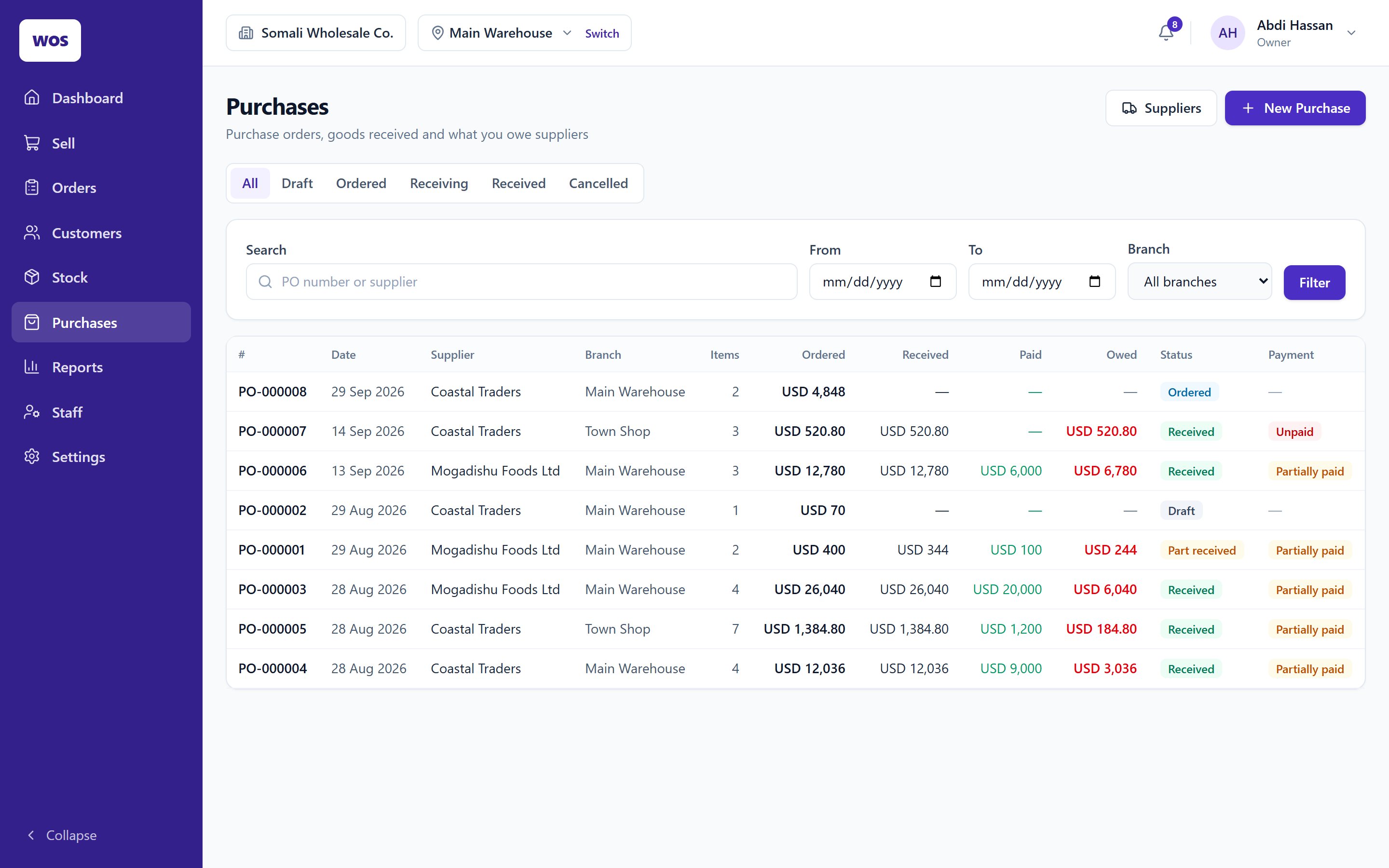
Raise a purchase order, receive it in full or in part, and pay the supplier against it. Each delivery updates the product's average cost.
Stock per branch
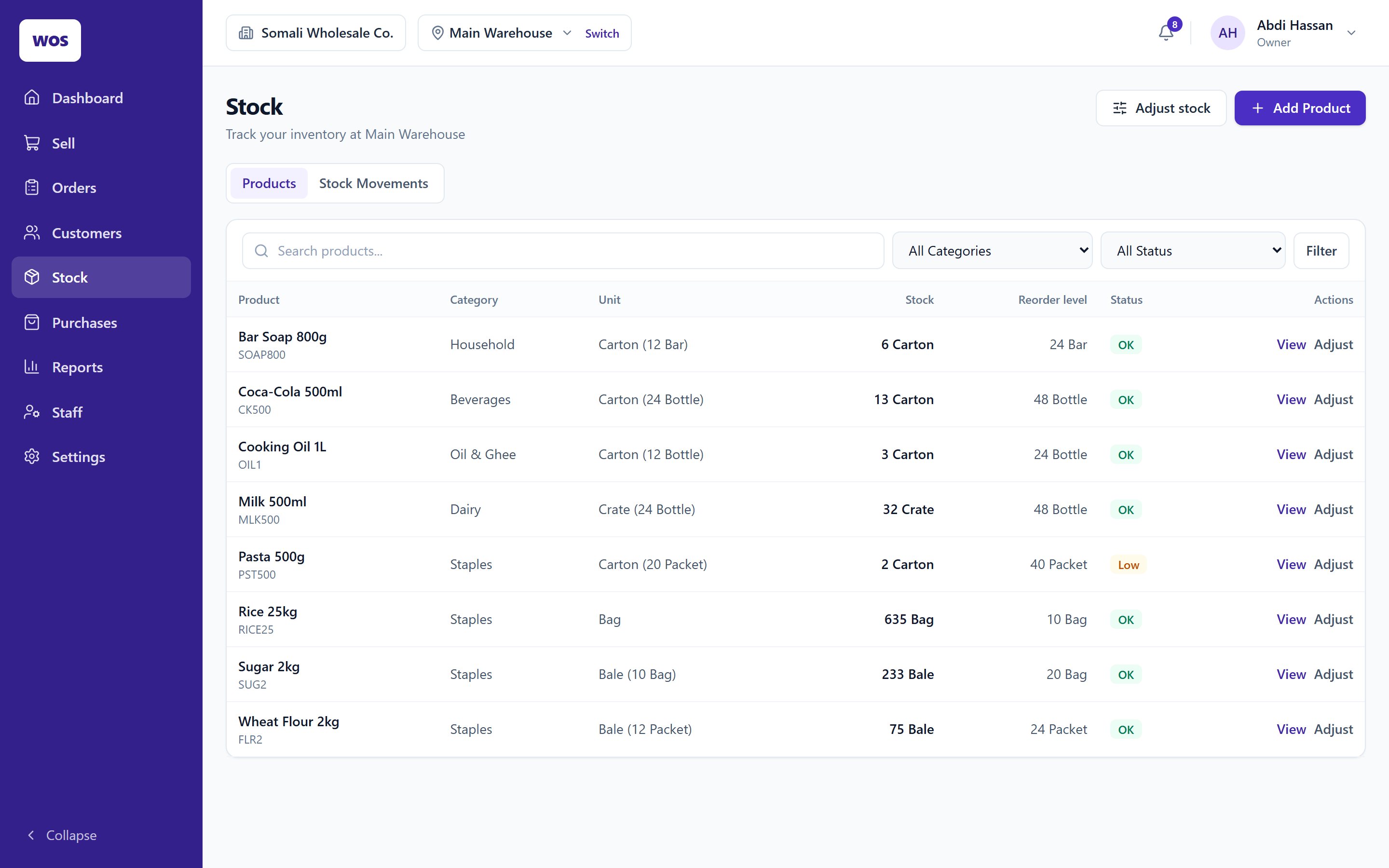
Warehouse and shop counted separately, with low-stock and out-of-stock flags.
Receive what actually arrived
Take in part of an order now and the rest later, or close it short.
What you owe suppliers
Supplier balances, payments and statements sit beside what customers owe you.
Every movement on the record
Opening stock, sales, returns, deliveries and adjustments — each one kept, none overwritten.
04Reports
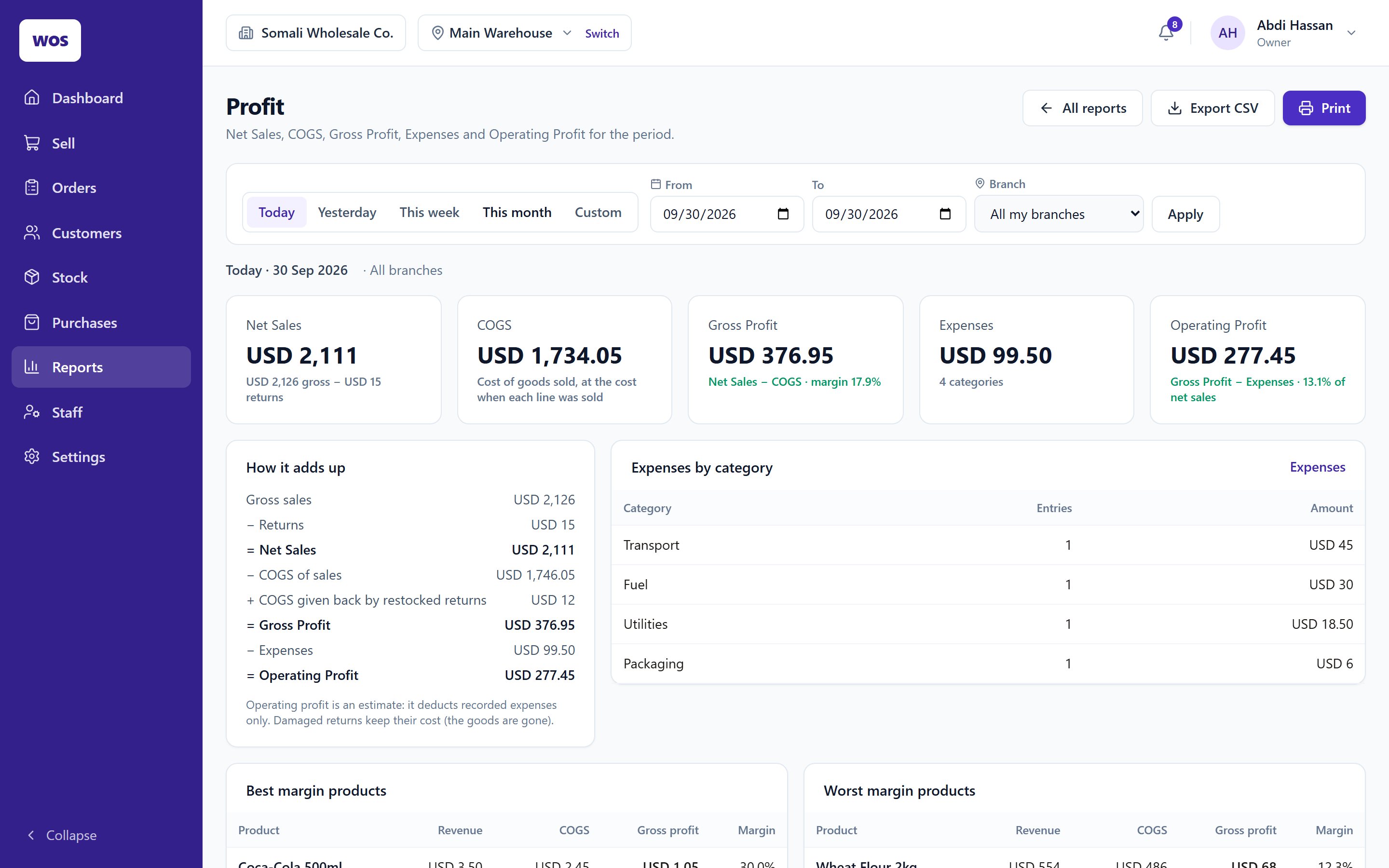
A profit figure you can check line by line
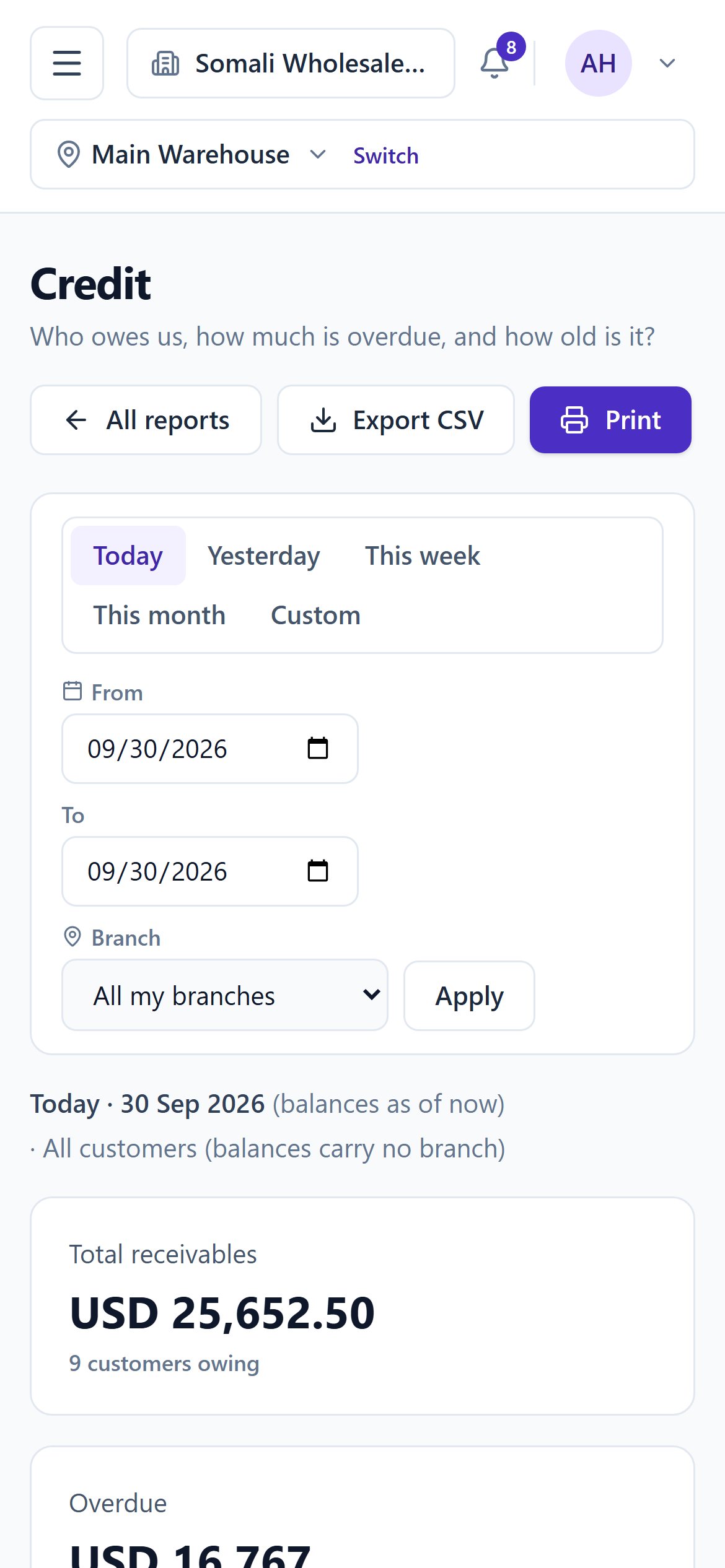
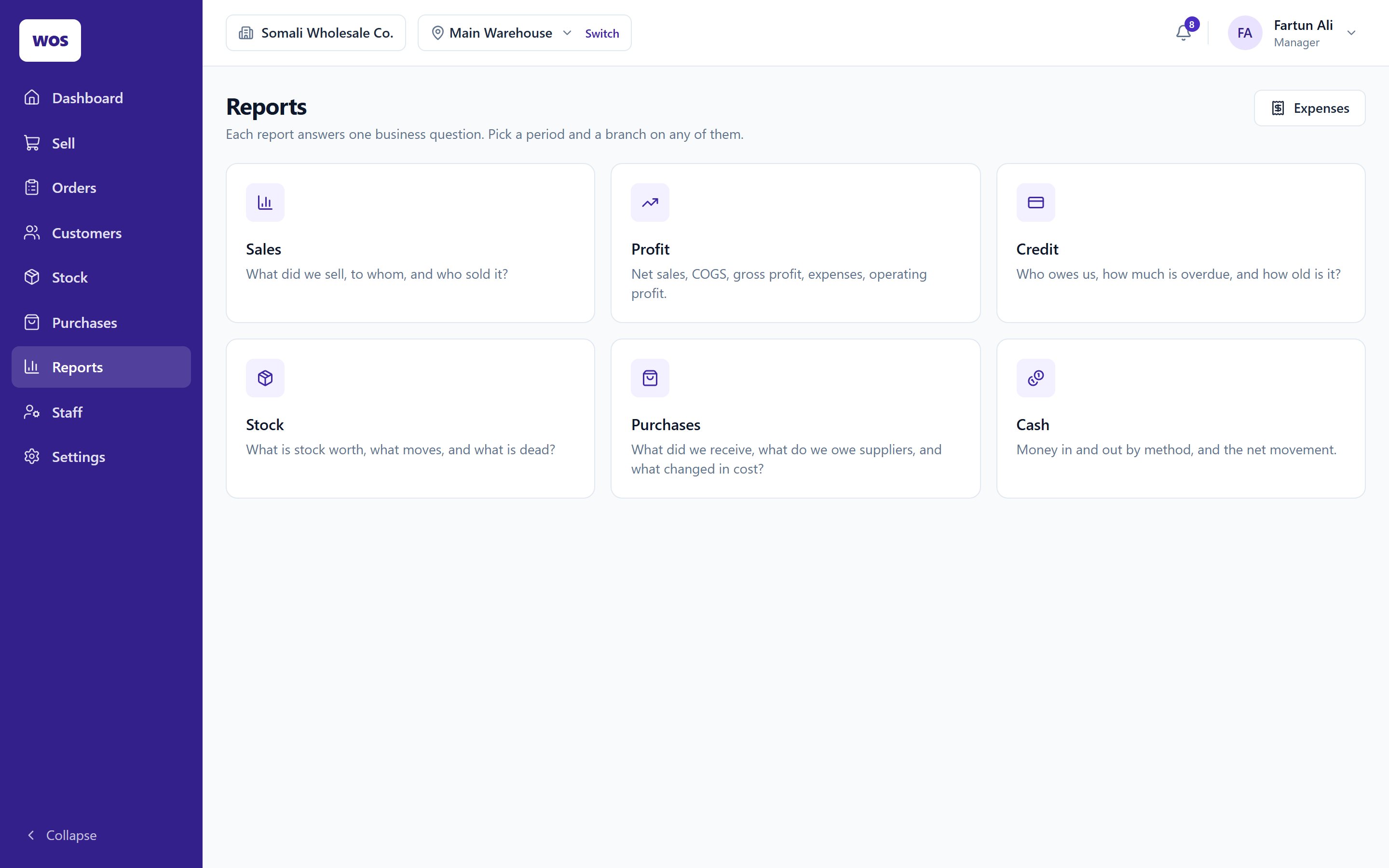
Sales, profit, credit, stock, purchases and cash — for today, this week, this month or any dates you pick, per branch or all together.
It shows its working
Gross sales, returns, the cost of goods at what each line cost when it was sold, expenses — down to operating profit.
Best and worst margins
See which products earn their shelf space and which are sold nearly at cost.
Cash in, cash out
Customer payments, refunds, supplier payments and expenses, by method.
Print or export
Every report prints, and exports to CSV for your accountant.
05Roles & branches
Everyone sees their part. Nothing more.
Six roles come built in. A cashier at the town shop sells and takes payments there; a storekeeper receives deliveries but never sees a sale or a customer; the owner sees everything, across every branch.
Staff are tied to branches — a cashier can't open another branch's sales.
The storekeeper drafts and receives purchase orders, but can't place, close or pay them.
Profit and cash reports are for the owner, manager and accountant only.
Every sensitive action — voids, credit overrides, ledger adjustments — lands in the audit log with a name on it.
Sign in as
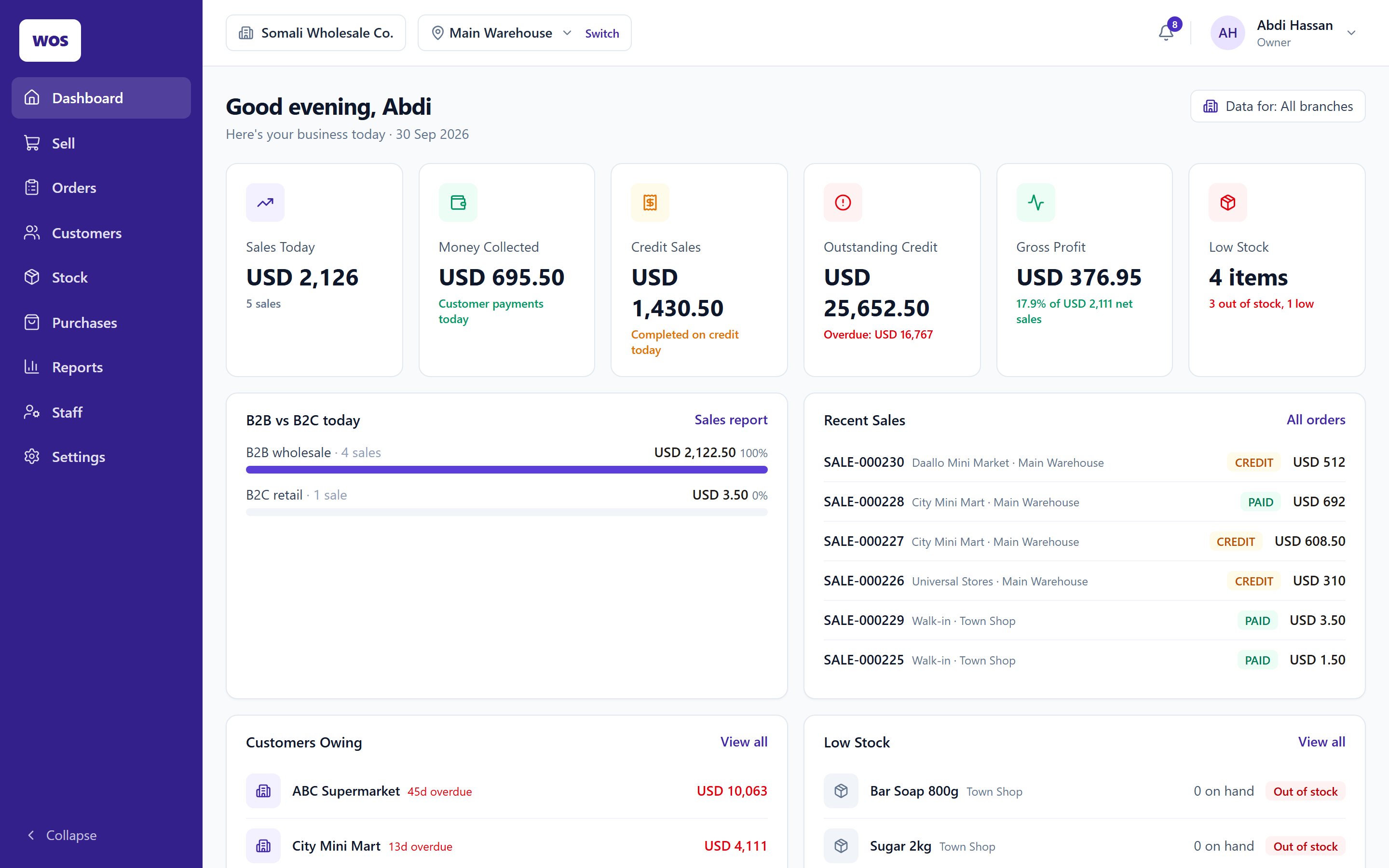
Every branch, every report, every setting. The day's sales, credit and profit on one screen.
06More of the app
Nothing here is a mock-up
Each screen was captured from WholesaleOS running a sample business through a month of trading — every total, balance and due date was worked out by the app itself.
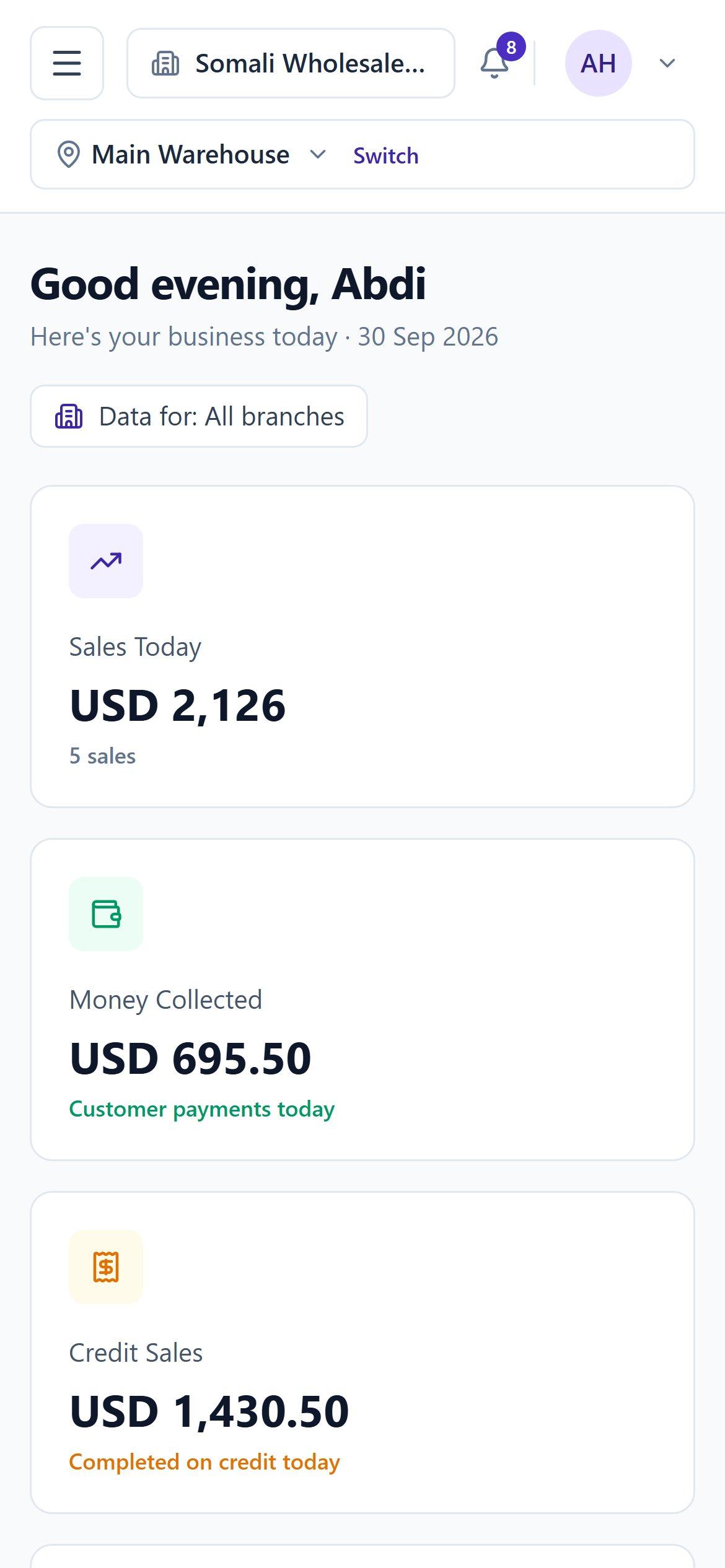
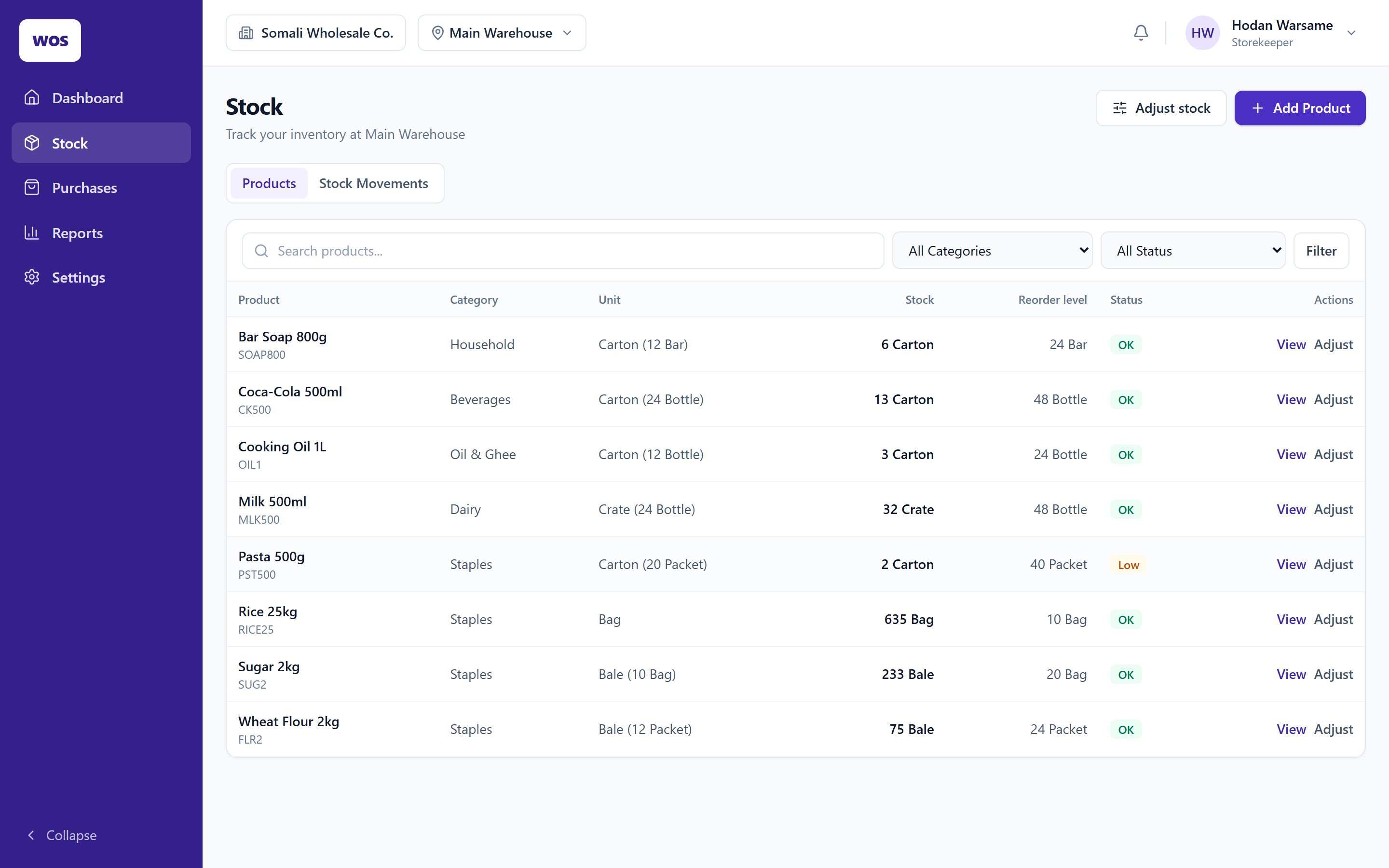
The owner's morning: today's sales, collections, credit, profit and what's running low.
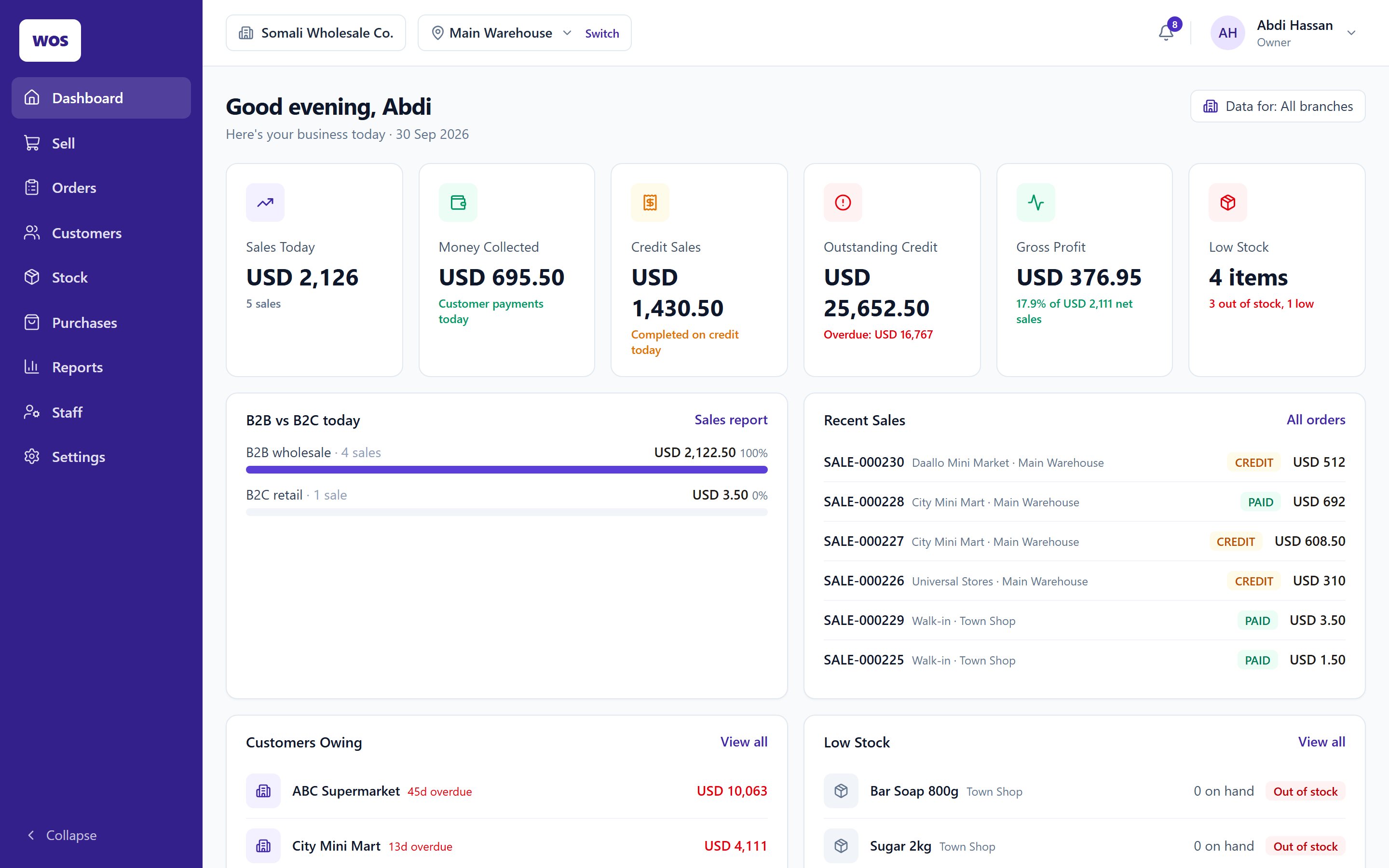
Every sale, quote and open order — searchable by customer, branch, date and status.
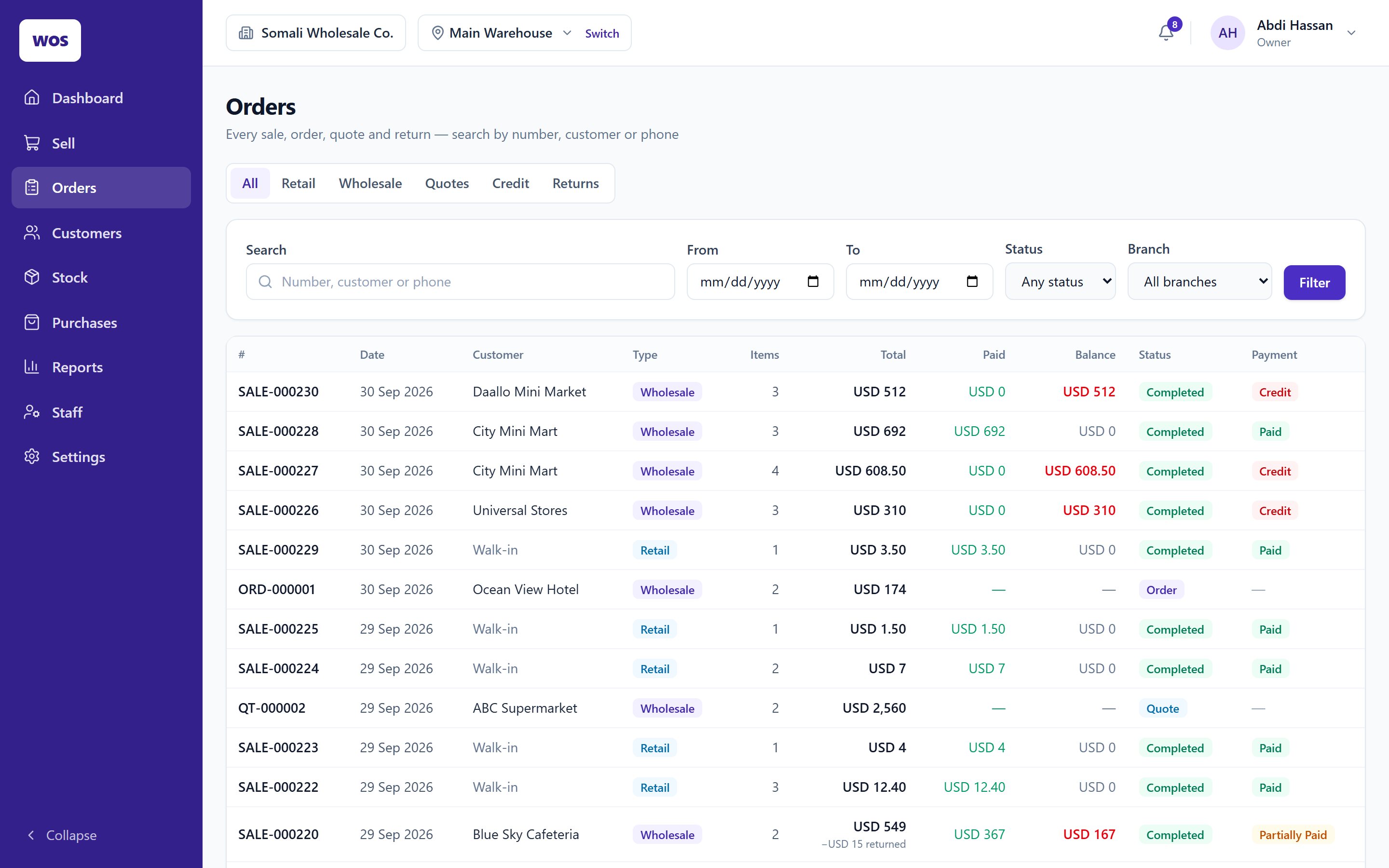
An A4 invoice for a wholesale order on account, with its due date and balance.
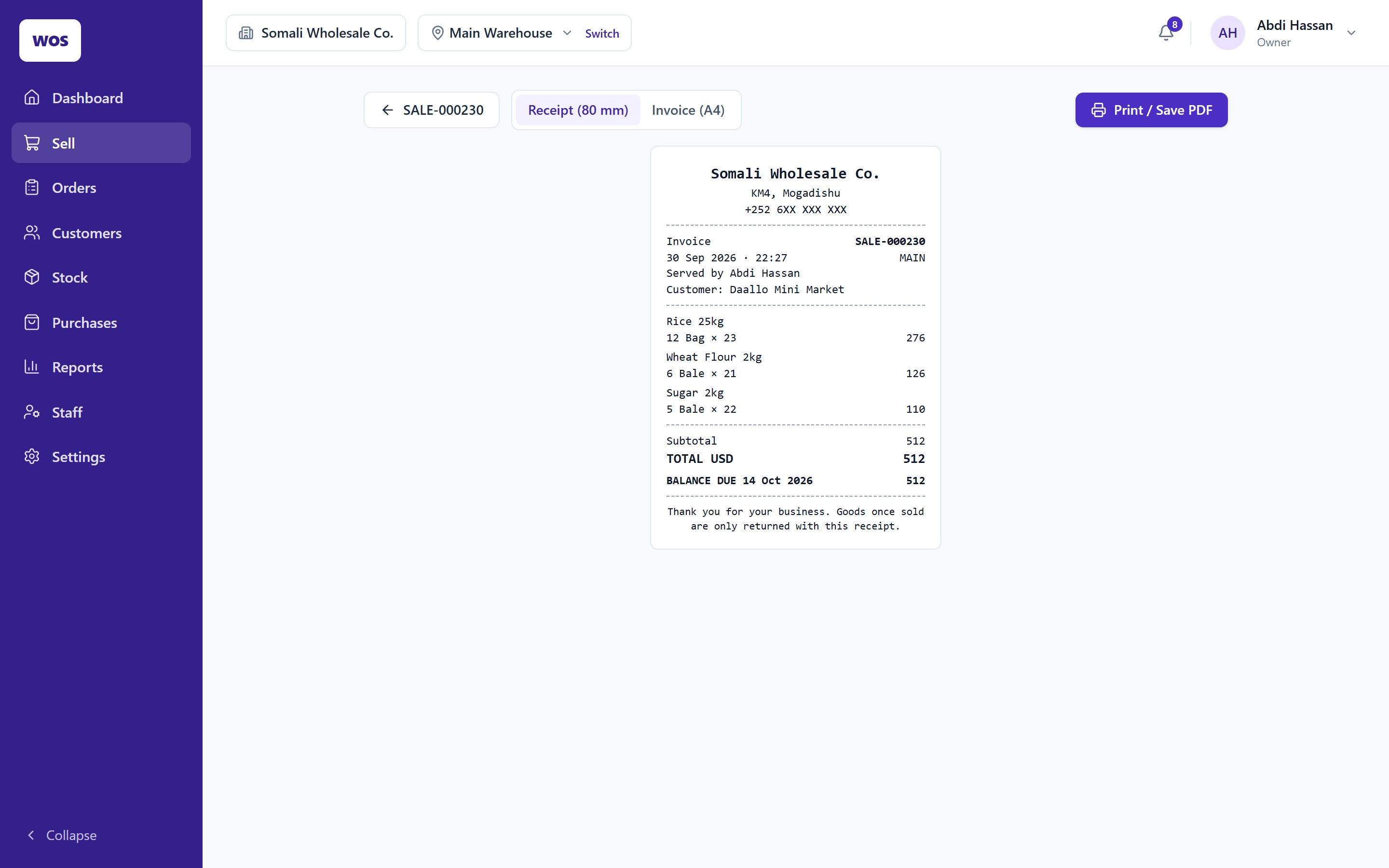
The same sale as an 80 mm till receipt — every sale prints either way.
A customer statement, ready to print or send as a PDF.
Receivables, overdue and ageing across every customer.
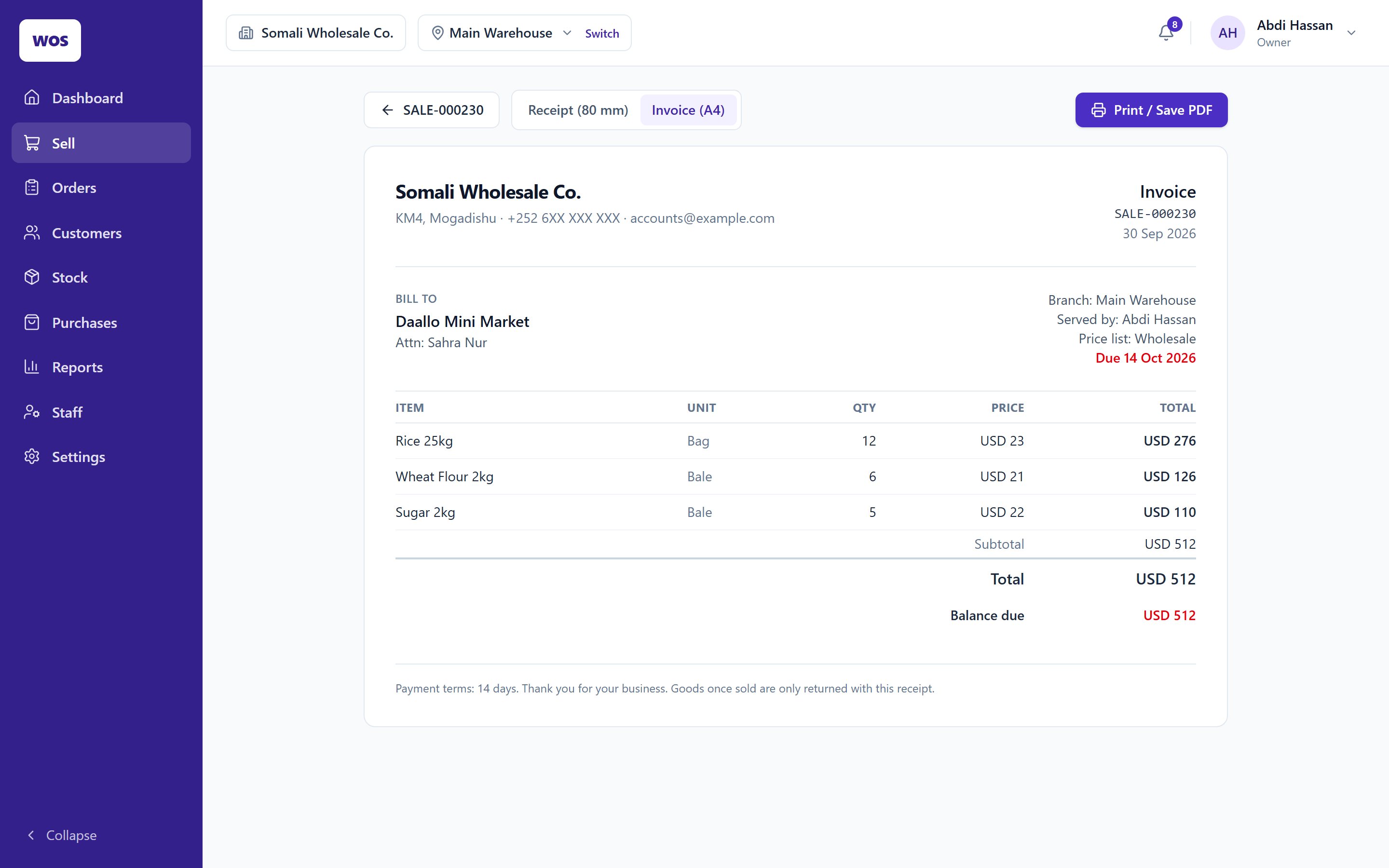
Every product per branch, in its bulk unit and its single unit.
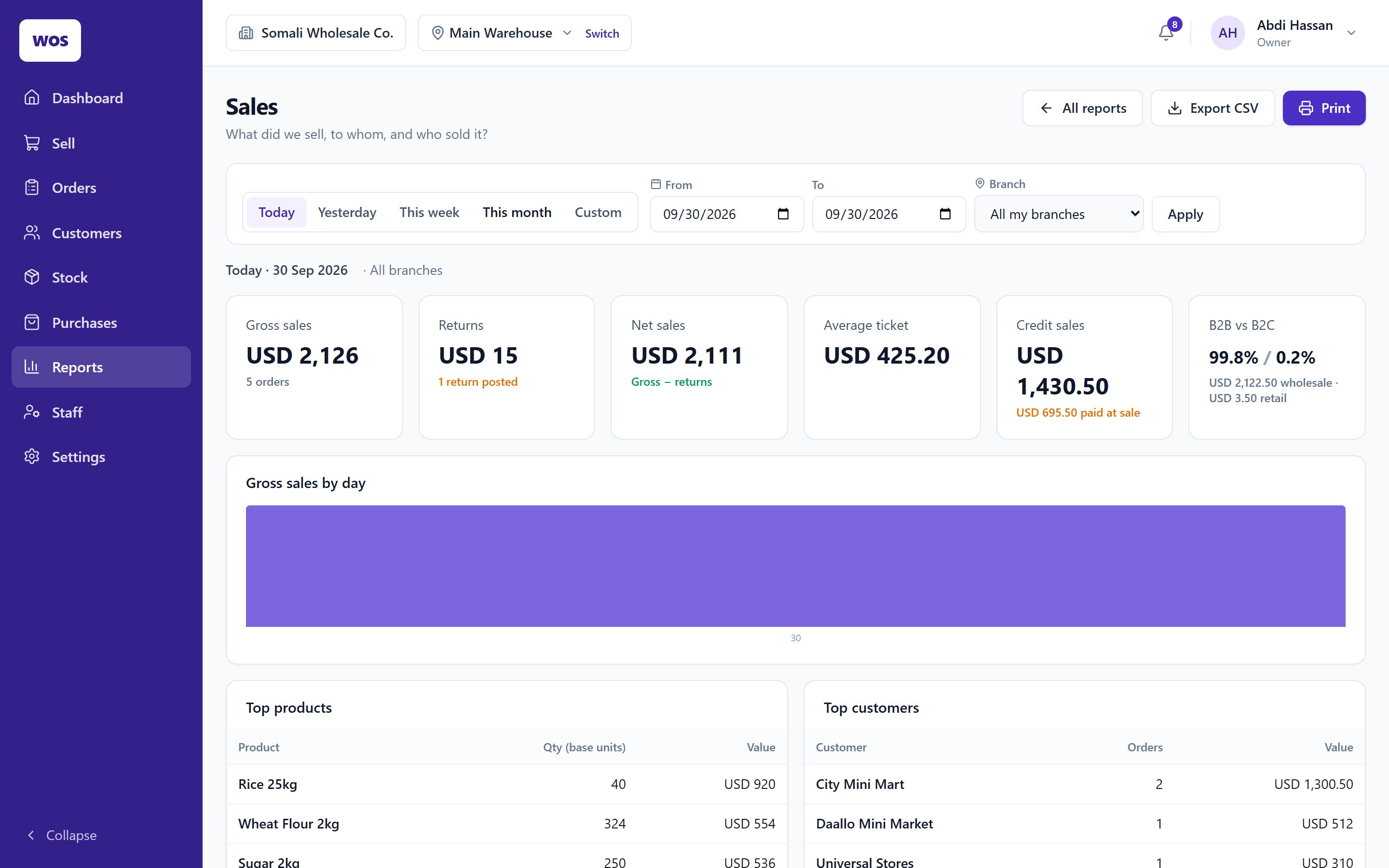
A month of sales by day, product and customer.
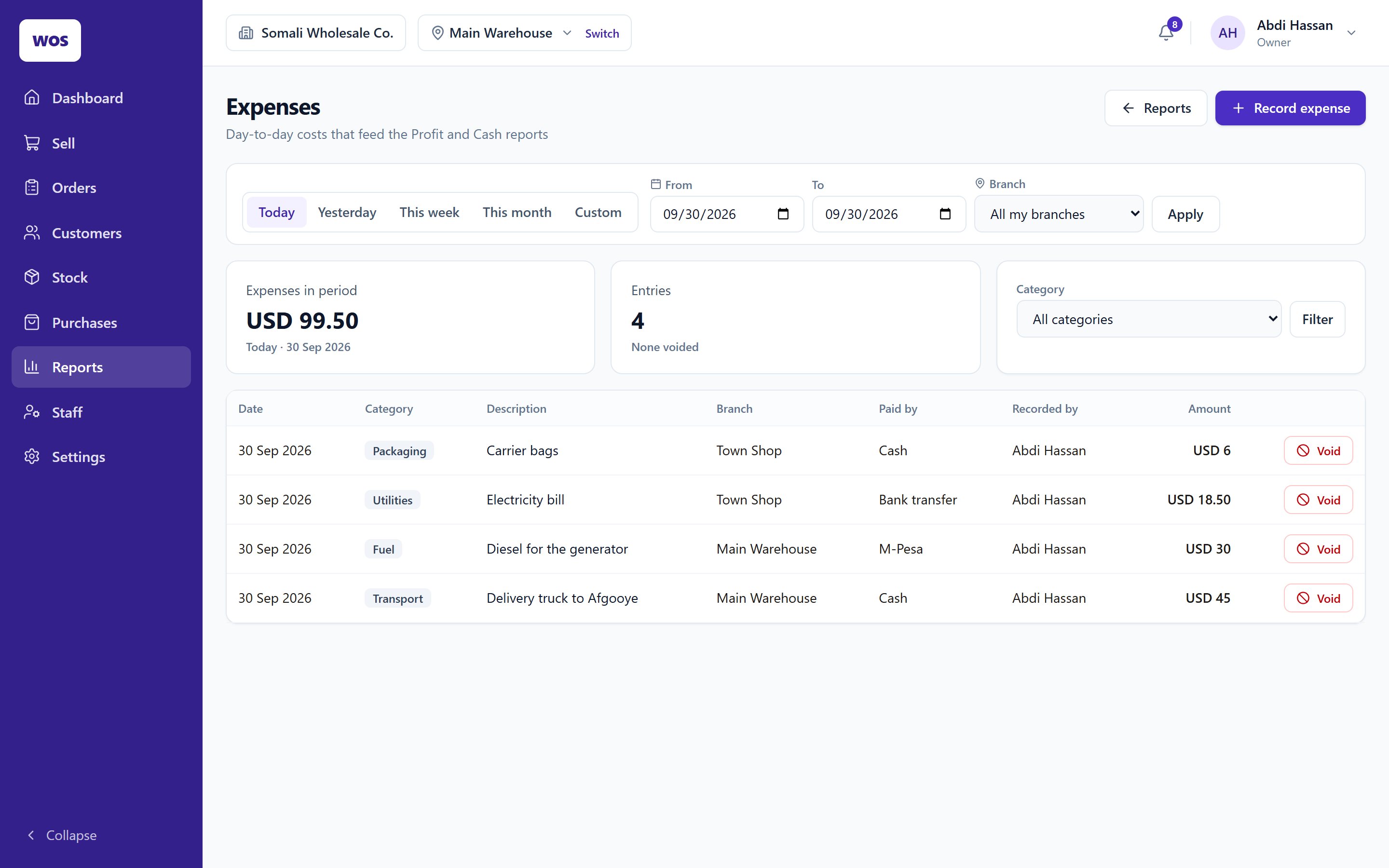
Rent, fuel, transport and wages, recorded per branch so profit is honest.
07Built for trade here
Made for how East African wholesale actually works
Written in Nairobi for wholesalers in Kenya and Somalia: businesses that sell on trust, deal in cartons and bales, and run more than one location.
Your currency
Each business trades in its own currency — shillings in Nairobi, dollars in Mogadishu — with its own time zone for the day's figures.
M-Pesa, cash and bank, recorded
Every payment keeps its method and reference, so the M-Pesa and bank totals are there when you reconcile.
More than one location
A warehouse and a shop, or three shops — each with its own stock, staff and figures, and one view across all of them.
Bring your lists
Import your products and customers from a spreadsheet, with opening stock and opening balances.
08Getting started
We set it up with you, not for you
- 01
A walkthrough
We show you WholesaleOS on WhatsApp or in person, using your own products as the example.
- 02
Your data in
Products, prices, customers and suppliers — imported from your spreadsheets, with opening stock and balances.
- 03
Branches and staff
We set up each location and give every person the role that fits their job.
- 04
First day, together
We're on hand for the first day of trading and the first end-of-day.
09Straight answers
Questions owners ask
Does it work for a single shop, or only for big distributors?
Both. A single counter uses Sell, stock and credit; add a warehouse or a second shop when you have one. The system doesn't change, you just add a branch.
Does it take M-Pesa payments?
It records them. The cashier picks M-Pesa and types the reference, and the M-Pesa total shows up in the cash report. It does not connect to Safaricom to confirm the payment itself.
Can customers order online?
No. WholesaleOS runs your counter, warehouse and books. There is no online shop.
What if someone makes a mistake at the till?
A sale can be voided within a set window, or goods returned against it. Either way the original stays on the record and the reversal sits beside it, so nothing disappears.
Where is my data kept?
In a managed cloud database. Every record belongs to one business and every request is checked against it, so no other business on the system can see yours. Your staff reach it through the browser on a computer, tablet or phone.
What does it cost?
Ask us on WhatsApp — it depends on your branches and staff, and we'd rather understand your business before we quote.
See it with your own stock list
Send us a message and we'll walk you through WholesaleOS using the products you actually sell.